
A customer on Instagram asks whether the black hoodie comes in medium. Another on Messenger wants the price of the gift box from yesterday's post. A regular on WhatsApp asks what she still owes. Three apps, three questions, and every answer lives somewhere else: the stock in a notebook or a dashboard, the price on a shelf tag, the khata in another book.
This post compares two places to handle those messages: Meta Business Suite, Meta's own free tool, and an inbox that sits inside the same system as your stock, orders and khata. They do different jobs, and many shops are best served by using both.
What Meta Business Suite does well
Meta Business Suite is free, and it is Meta's own. It puts the messages from your Facebook Page and your Instagram account in one list, and it is where you schedule posts, see how they did, and manage who can work on your Page. For ads, nothing replaces Meta's own tools: boosting a post, choosing who sees it and paying for it all happen there or in Ads Manager.
What it does not know is your shop. It cannot see what is in stock, what a size costs today, what a customer ordered last month or what they owe. Every answer means leaving the chat to look it up, then typing it in by hand.
What an inbox inside your shop system adds
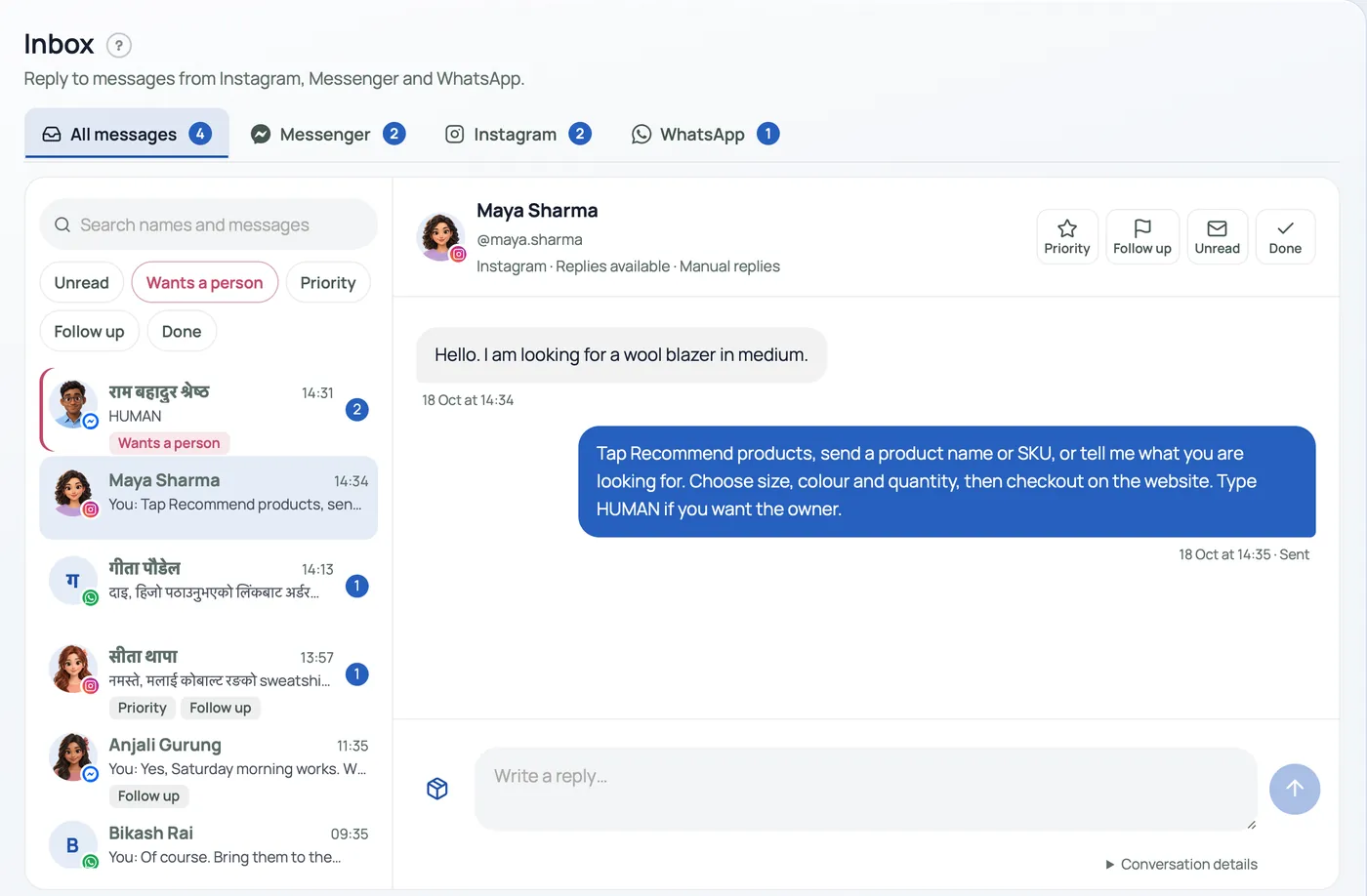
Product cards from your own stock. Instead of typing a price and pasting a photo, you pick the product, and the customer gets a card with its photo, its price and a link to buy it. The price comes from your catalogue, so a price you changed this morning is already right. Automatic suggestions can leave out anything sold out, so a customer is not offered a piece you cannot sell.
The rest of the customer in the same place. Orders, bills and khata live in the same system as the conversation. When a regular asks "did my parcel go?" or "how much do I owe?", the answer is a click away, not in another app or another book.
Replies that use real prices and stock. An automatic reply is only as right as what it reads. Connected to your catalogue, it answers "is this in medium?" from the stock you keep, size by size. When it cannot tell, it sends the product link instead of guessing. A customer who wants a person sends a word such as HUMAN, and the automatic replies stop for that customer until you start them again.
Questions that turn into orders. A chat that ends with a product link goes to your own checkout, with your prices, your delivery choices and your payment options. The order lands on the same board as every other order, and you can see which orders came from which conversation. Nobody copies an address out of a chat into a notebook.
Reply without opening Facebook. You answer Instagram and Messenger from Pasal, so you don't need to open Facebook to reply. And you don't need a separate app for every channel: messages, orders, stock and khata are all in one app.
Every channel in one list. Instagram, Messenger, WhatsApp and TikTok are four apps with four sets of notifications. One list, with a mark for each channel and filters such as unread or "wants a person", means nobody is missed because they wrote on the app you checked last.
Meta's rules apply either way
Wherever you answer, Meta sets the rules for its apps. The standard window for a business to reply is 24 hours from the customer's last message; after that, you wait for them to write again. Instagram messages reach other software only from a professional account, Business or Creator. Any honest tool, Meta's or anyone else's, works inside those rules.
Use both
- Meta Business Suite for ads, boosted posts, scheduling, insights and Page settings.
- Your shop's inbox for conversations that should end in a sale: product questions, prices, sizes, orders, payment and khata.
Both can see the same messages, so keeping Meta Business Suite on your phone loses nothing. Answer each customer in one place, so nobody gets two different replies.
Pasal's inbox is built this way
In Pasal, product cards come from your Products, automatic product help answers with your own prices and stock and stops when a customer sends HUMAN, and the orders that came from a conversation are listed with it. Today the Instagram inbox and Messenger are switching on shop by shop while Meta reviews Pasal, and WhatsApp carries orders and bills: a shopper can send their order on WhatsApp, and the counter can send the receipt there. Setup is in Connect Instagram to your dashboard, and preparing the account is in Set up Instagram Business and Meta Business Suite.