
Let a reward come off the bill
Put a rupee value on one reward and points can be spent at the counter and at the online checkout, a whole reward at a time.
By default Pasal counts points and does not price them. You honour the reward at the counter and redeem the points from the customer's row, and that is still exactly how it works for every shop that has not typed a number into one field. Nothing here switches on by itself.
The field is What it is worth (Rs), on Design loyalty card under Customers. Leave it at 0 and nothing changes. Put a figure in it and you are saying what one reward is worth in rupees, and two things start working.
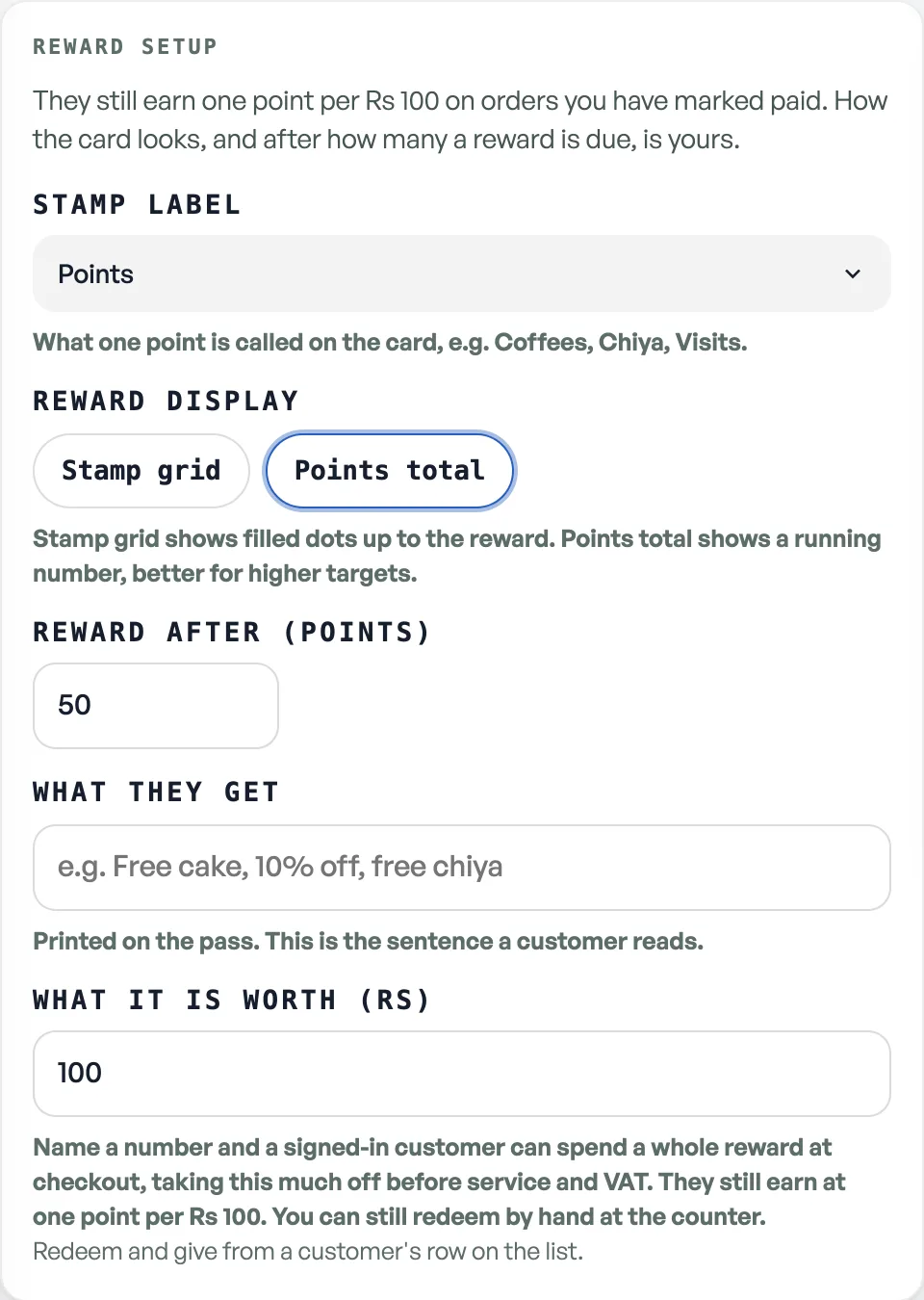
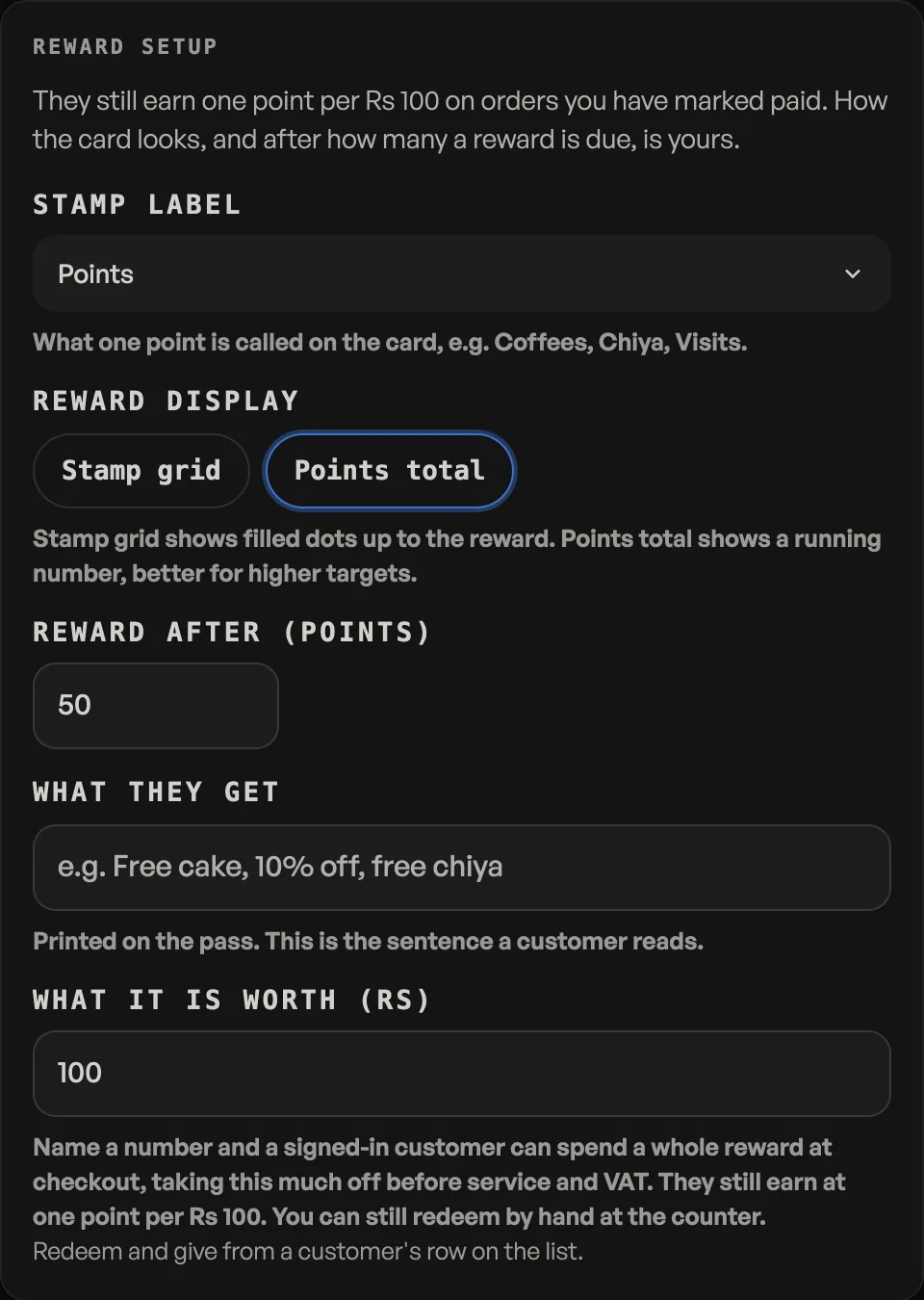
What it turns on
- A signed-in regular can spend a reward at your online checkout, and the money comes off the bill before service and VAT are worked out, so they never pay tax on money they did not spend.
- A cashier can take one off at the counter, and the counter posts the redemption itself, so nobody has to remember to go and take the points off afterwards.
You can still redeem and give by hand from a customer's row, exactly as before. Earning does not change either: one point per Rs 100 on orders you have marked paid.
Whole rewards, never loose points
A reward is spent whole or not at all. Fifty points for Rs 100 off means Rs 100, or Rs 200, or Rs 300, and never Rs 137. The counter offers whole rewards only and the online checkout refuses anything else, so the two tills cannot end up offering a customer two different arithmetics for the same card. That is an argument a shop loses in front of the queue.
At the counter
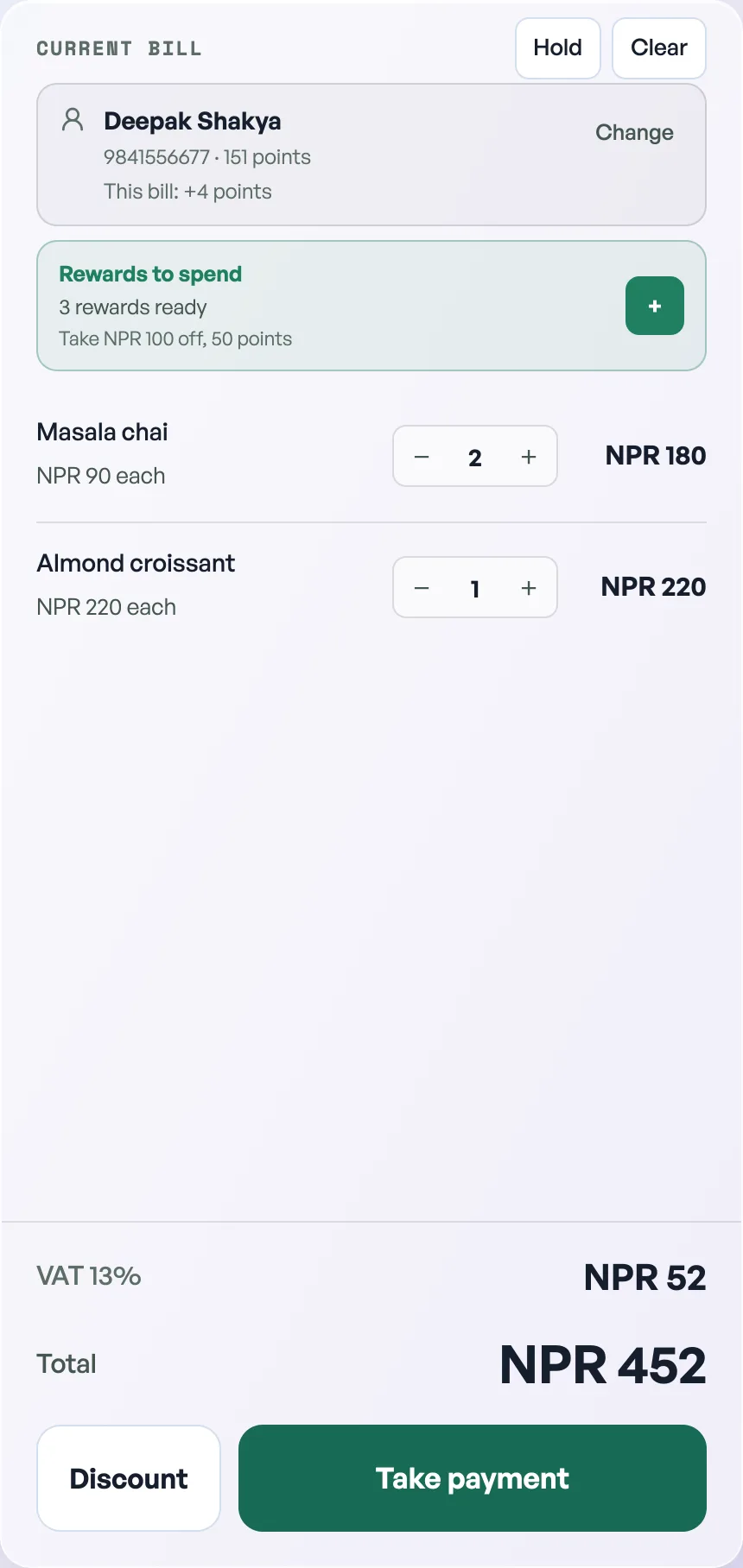
Put the customer on the bill, by search or by scanning their card, and a Rewards to spend row appears with how many they have ready and what one is worth. Press + to take one off, press it again for two.
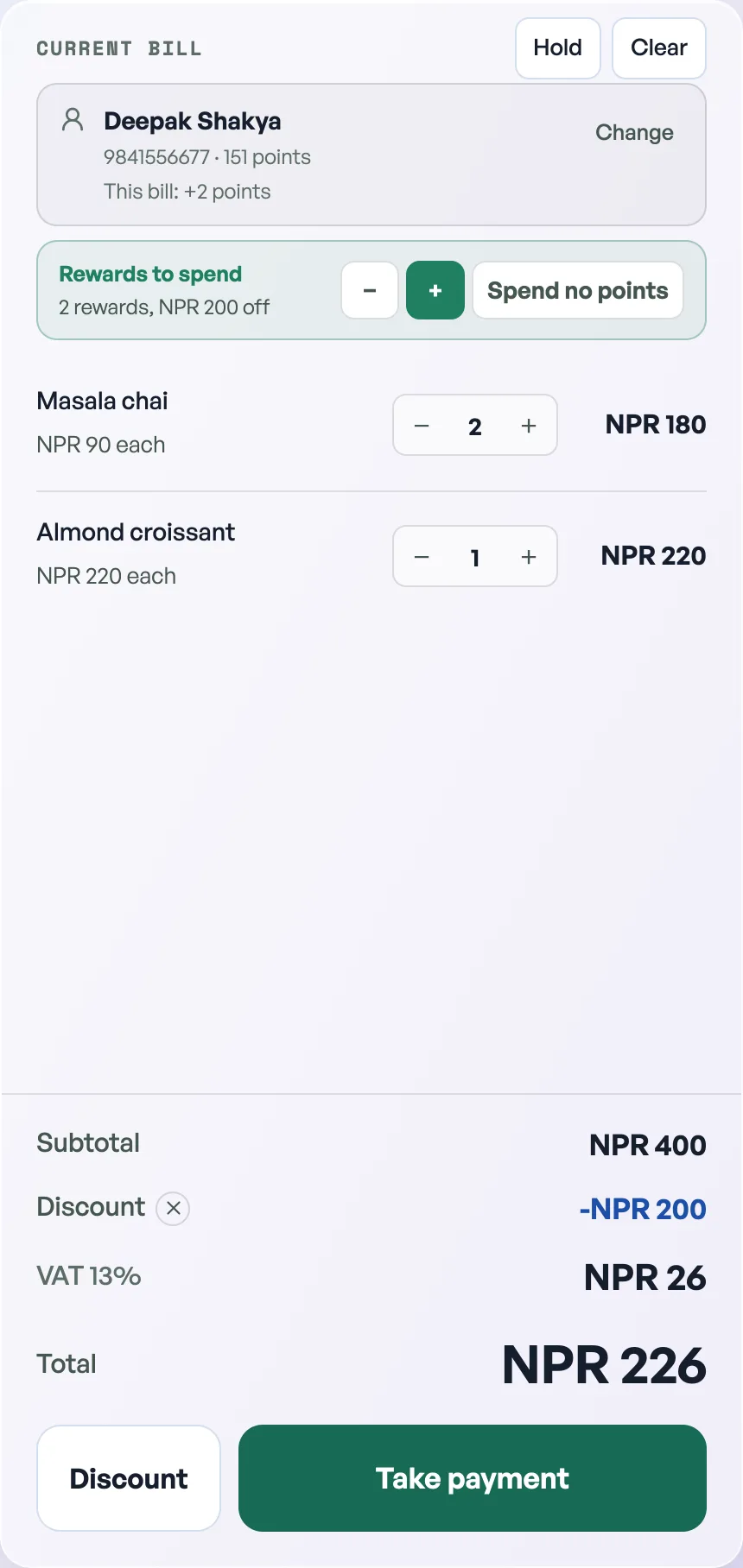
The reward shows in the bill's own Discount line, so the total on screen is the total you take. Take one back steps down and Spend no points clears it. Changing who the bill is for clears it too, because a reward belongs to the person it was taken for.
The points are only spent once the sale has actually landed. Ring it offline and they ride with the sale and are posted when it syncs, so a bill that never reaches the server never costs the customer anything.
One thing a held bill cannot carry is a reward. Park a bill and the agreed discount is kept while the reward is dropped, so take the reward again when you resume it.
A cancelled order gives the points back
Points are spent when an order is placed, because that is where the discount is worked out. If the order is then cancelled or refunded, the points go back automatically. In a market that runs on cash on delivery this matters: without it a customer would be down the points and have no goods, punished for a cancellation that was not theirs.
The credit is posted as its own line rather than as an undo, so the record reads honestly: they spent 200, and 200 came back. That is the same rule the rest of loyalty follows, see Reward regulars with loyalty points.
Before you name a number
What one reward is worth is a real cost that now leaves the till by itself, so do the arithmetic once first: Setting a reward people will actually chase. Making a reward easier is safe. Making it harder is the change that needs care with people already saving.
Loyalty is a Pro tool. When Pro ends the dashboard locks until you subscribe. Points already earned stay on the customer.
- Reward regulars with loyalty pointsRegulars earn a point per Rs 100 they spend. Redeem them, give them, and see what you gave.
- Setting a reward people will actually chaseWhat a hundred points really costs you, why an unreachable reward is worse than none, and how to change your mind later.
- Keep supplier bills, deliveries and balancesRecord who you buy from, receive counted stock in parts, and record payments you have already made.