
Your own ad tags: Google, Meta and Microsoft
On your own domain, add your Google Analytics, Google Ads, Meta Pixel or Microsoft Advertising IDs. They load only after a shopper presses Allow.
If you run ads on Google, Facebook, Instagram or Microsoft, their tags tell you which ad brought a sale. Pasal lets a shop on its own domain add its own tag IDs. Nothing of theirs loads until a shopper says yes.
Before you start
- Your shop needs its own domain (like yourshop.com.np): see Your shop on your own domain. Tags never load on a pasal.studio address, where those companies' cookies could be shared with every other shop.
- Only the owner can add or change them.
Add your IDs
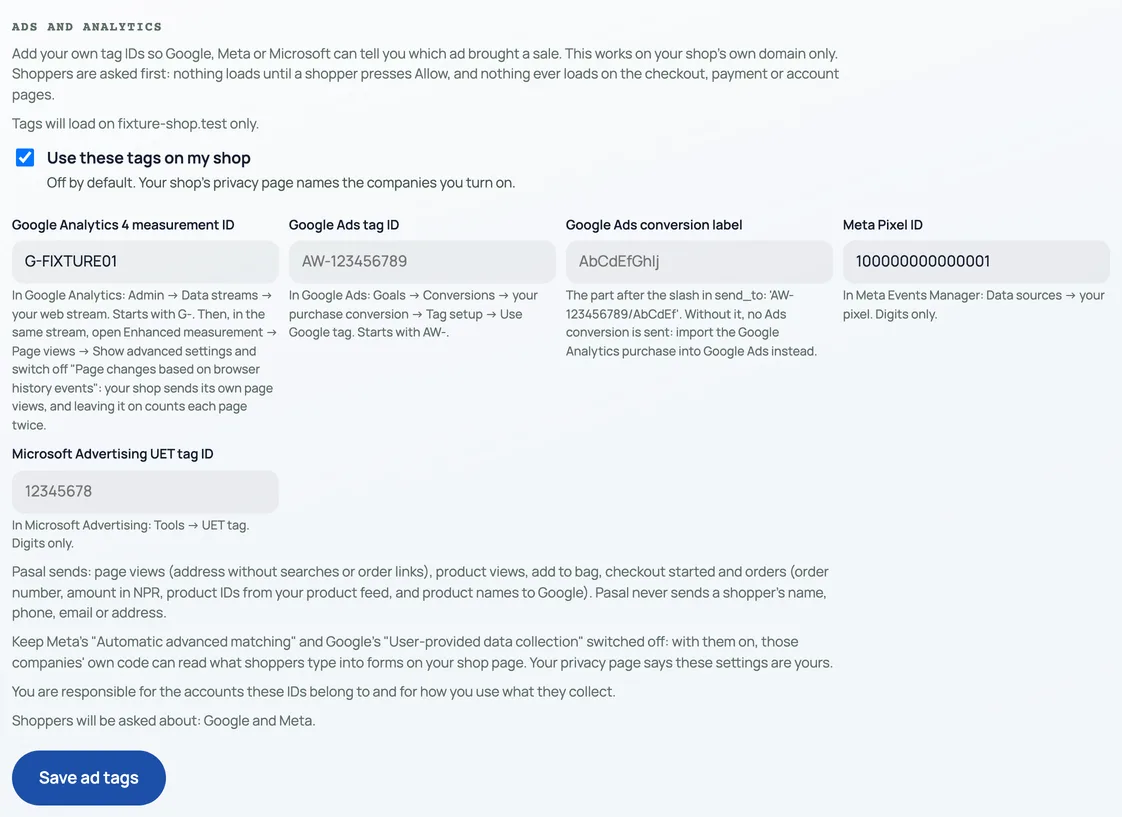
- Open Marketing and choose Ads and analytics.
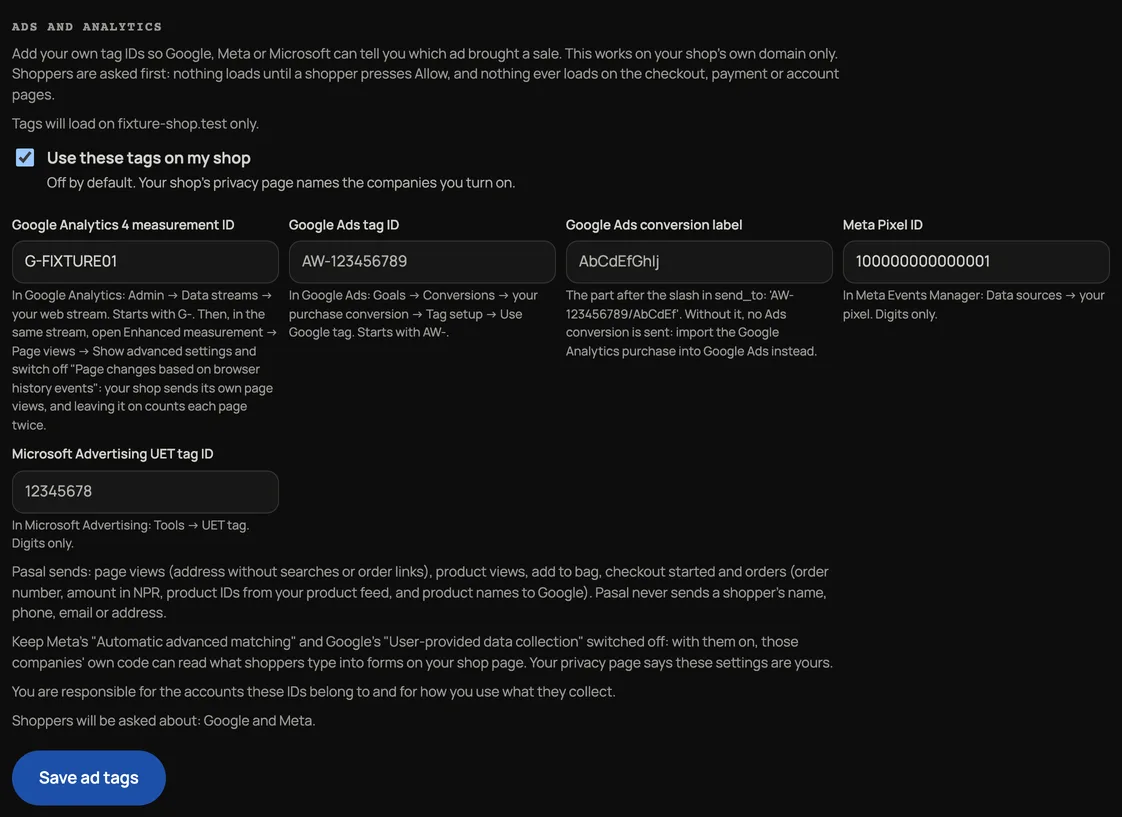
- Paste the IDs you use, only the ID, not code or a web address: Google Analytics 4 measurement ID (starts with G-), Google Ads tag ID (AW-) and its conversion label, Meta Pixel ID, Microsoft Advertising UET tag ID. Under each box Pasal says where to find it. Google Tag Manager is not offered.
- Tick Use these tags on my shop and press Save ad tags.
What shoppers see
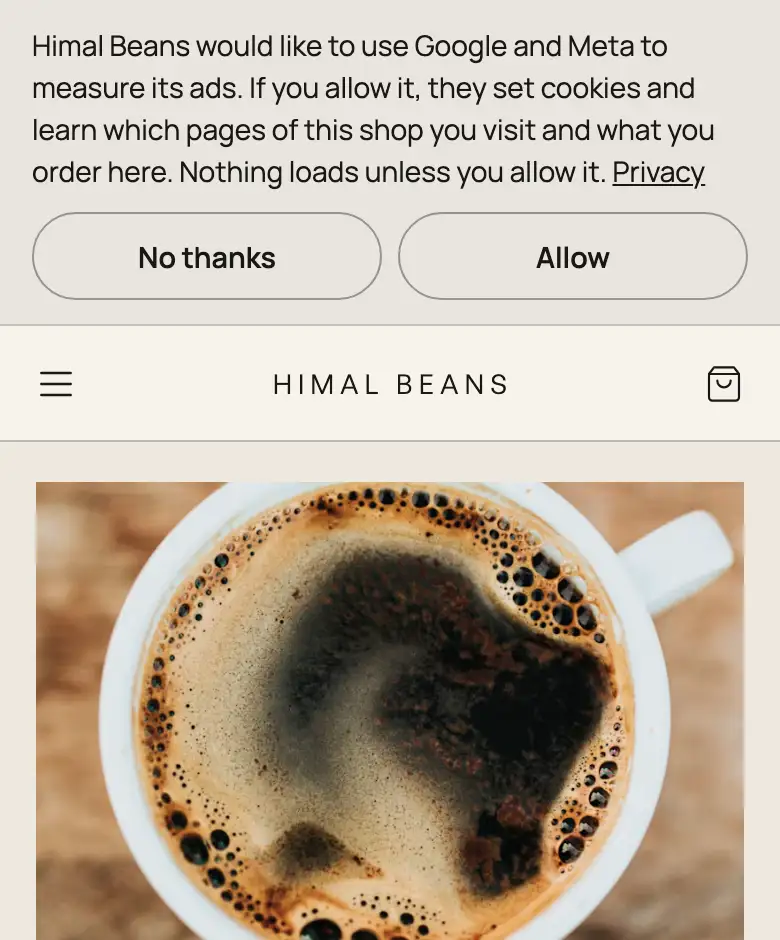
A shopper on your domain is asked first, naming the companies you turned on. Allow loads the tags; No thanks loads nothing. They can change their mind from Cookie choices in your shop's footer. The tags never load on the checkout, payment or account pages.
What they receive
After Allow: the pages viewed (without searches or order links in the address, for Google), product views, what goes in the bag, that the checkout started, and an order's number, amount in NPR and product IDs from your product feed (and product names, to Google). Pasal never sends them a shopper's name, phone, email or address.
- Keep Meta's "Automatic advanced matching" and Google's "User-provided data collection" switched off. With them on, those companies' own code can read what shoppers type on your shop page.
- In Google Analytics, switch off "Page changes based on browser history events" under Enhanced measurement. Your shop sends its own page views, and leaving it on counts each page twice.
- You are responsible for the accounts these IDs belong to and how you use what they collect. Your shop's privacy page names the companies you turned on.
आफ्नै डोमेन भएको पसलले प्रचार → विज्ञापन र एनालिटिक्स मा Google Analytics, Google Ads, Meta Pixel वा Microsoft Advertising का ID राख्न सक्छ। ग्राहकले अनुमति दिनुहोस् नथिचेसम्म केही लोड हुँदैन, र चेकआउट, भुक्तानी वा खाताका पेजमा कहिल्यै लोड हुँदैन। Pasal ले ग्राहकको नाम, फोन, इमेल वा ठेगाना ती कम्पनीलाई पठाउँदैन।
Pasal's own visitor counts are separate and need no tags: see See what is working.
- Product feeds for Facebook and Instagram catalogsOne address Meta Commerce Manager reads your products, prices and stock from, so catalog ads match your shop.
- Your shop on your own domainServe your shop on your own web address, like yourbrand.com.
- See what is workingVisitors, what they look at, what they buy, and where they came from.