
Notify me: tell customers when an item is back
On a sold-out item, a signed-in customer can press Notify me and get one email when it is back. You see how many are waiting.
When an item on your shop page is sold out, customers see a Notify me button where Add would be. A customer who presses it gets one email when the item is back, with a link to it. It is on for every shop; there is nothing to set up.
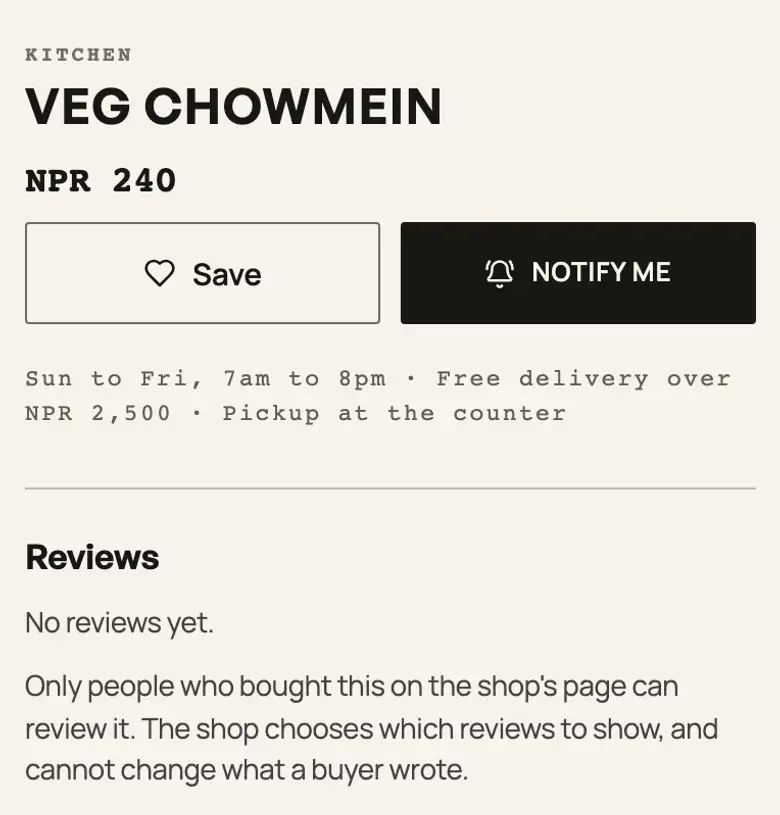
What the customer does
- On the sold-out item, they press Notify me. For an item with sizes or colours, the alert is for the size or colour they are looking at.
- They sign in with their email. Pasal sends them a code, so the alert can only go to their own address.
- They press Notify me again. The button then reads We'll email you.
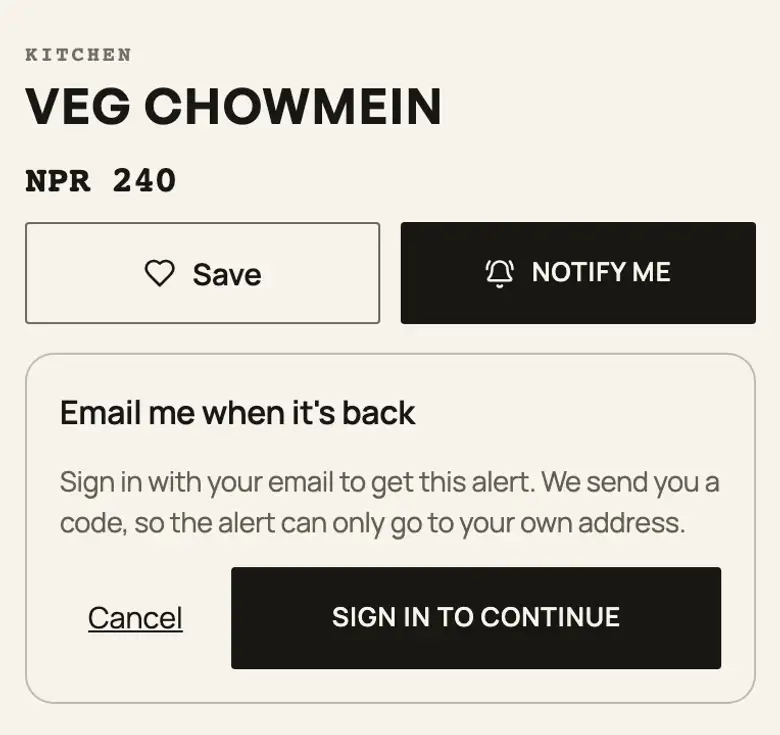
When the email goes
About ten to fifteen minutes after the item can be ordered again, from any change that brings it back: a new stock count, an item you switched back on, or a size you restocked. Pasal checks again just before sending. Each request gets one email and is then done. The email comes in your shop's name, with your logo, and a reply reaches your shop's contact email. It carries a link to stop.
Items off for today (food that comes back by itself tomorrow) do not offer Notify me: they still say "Back tomorrow". Notify me never takes an order or a payment: the item stays unorderable until you bring it back.
How many are waiting
In Products, a sold-out item with requests shows how many people are waiting, under its name. Hover over it to see the count for each size or colour. You see the number, not who they are. That number is also a reason to reorder.


Pasal keeps the customer's email address and the item they asked about. A request nobody used is deleted after 180 days, and a sent or stopped one after 30 days.
सकिएको सामानमा ग्राहकले आएपछि खबर गर्नुहोस् थिचेर, आफ्नो इमेलले साइन इन गरेपछि, सामान फेरि आएपछि एउटा इमेल पाउँछन्। इमेल तपाईंको पसलको नाम र लोगोसहित जान्छ। सामानहरू मा कति जना पर्खिरहेका छन् भन्ने देखिन्छ, उनीहरू को हुन् भन्ने देखिँदैन। यो सबै पसलमा आफैँ चल्छ।
For marking an item sold out, see Mark an item sold out for the day.
- Mark an item sold out for the dayRun out of momo at eight? Grey it out on the menu and let it come back tomorrow.
- Manage your catalogAdd products, photos, prices, and take items off the shelf when you are out of stock.
- Count stock so you cannot oversellGive a product a number, watch it fall as you sell, and let it stop itself at zero.