
Help · Selling
Mark an item sold out for the day
Run out of momo at eight? Grey it out on the menu and let it come back tomorrow.
Kitchens run out. You want the dish to stay on the menu, so regulars know you do it, but nobody should be able to order it tonight.
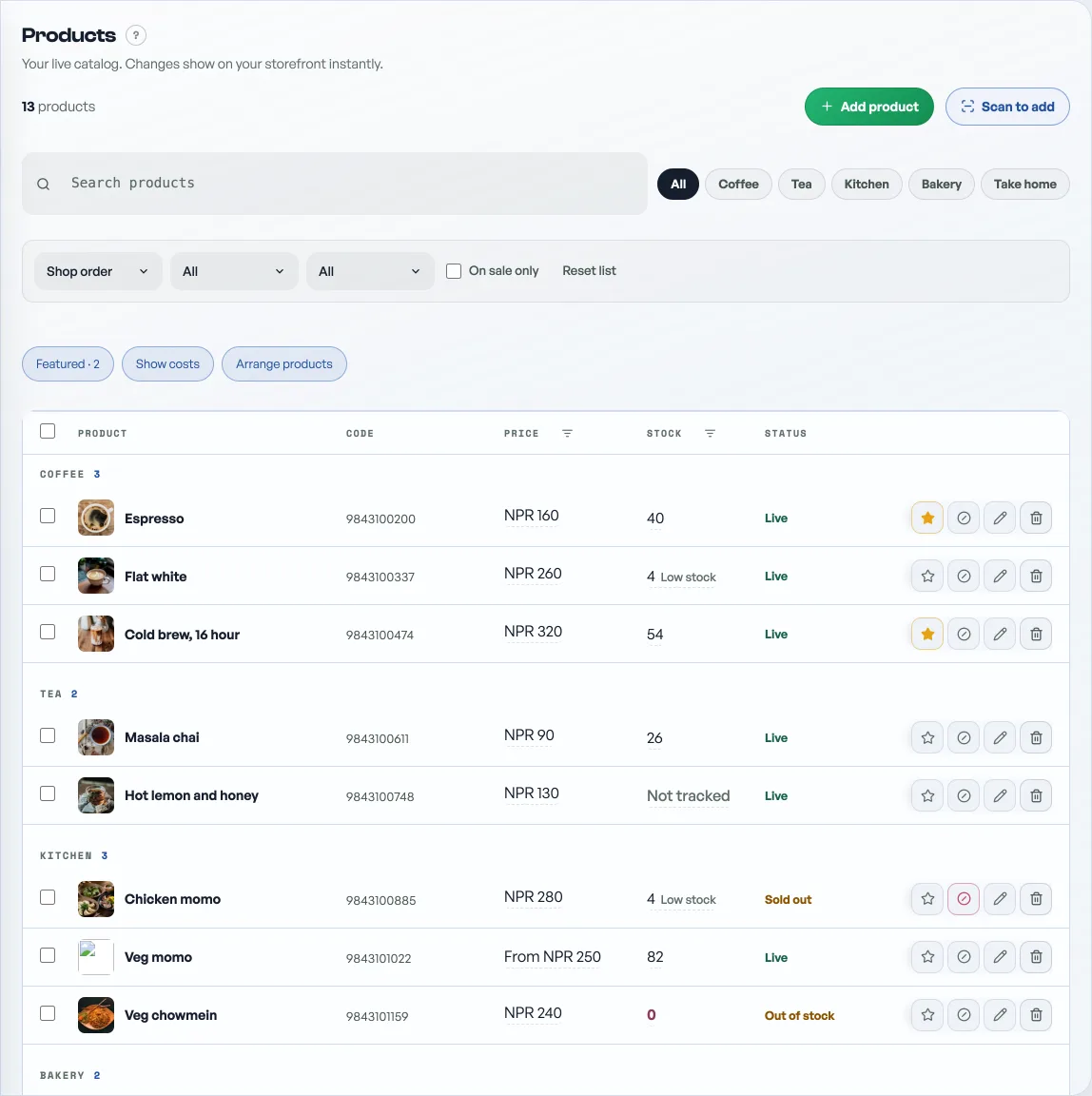
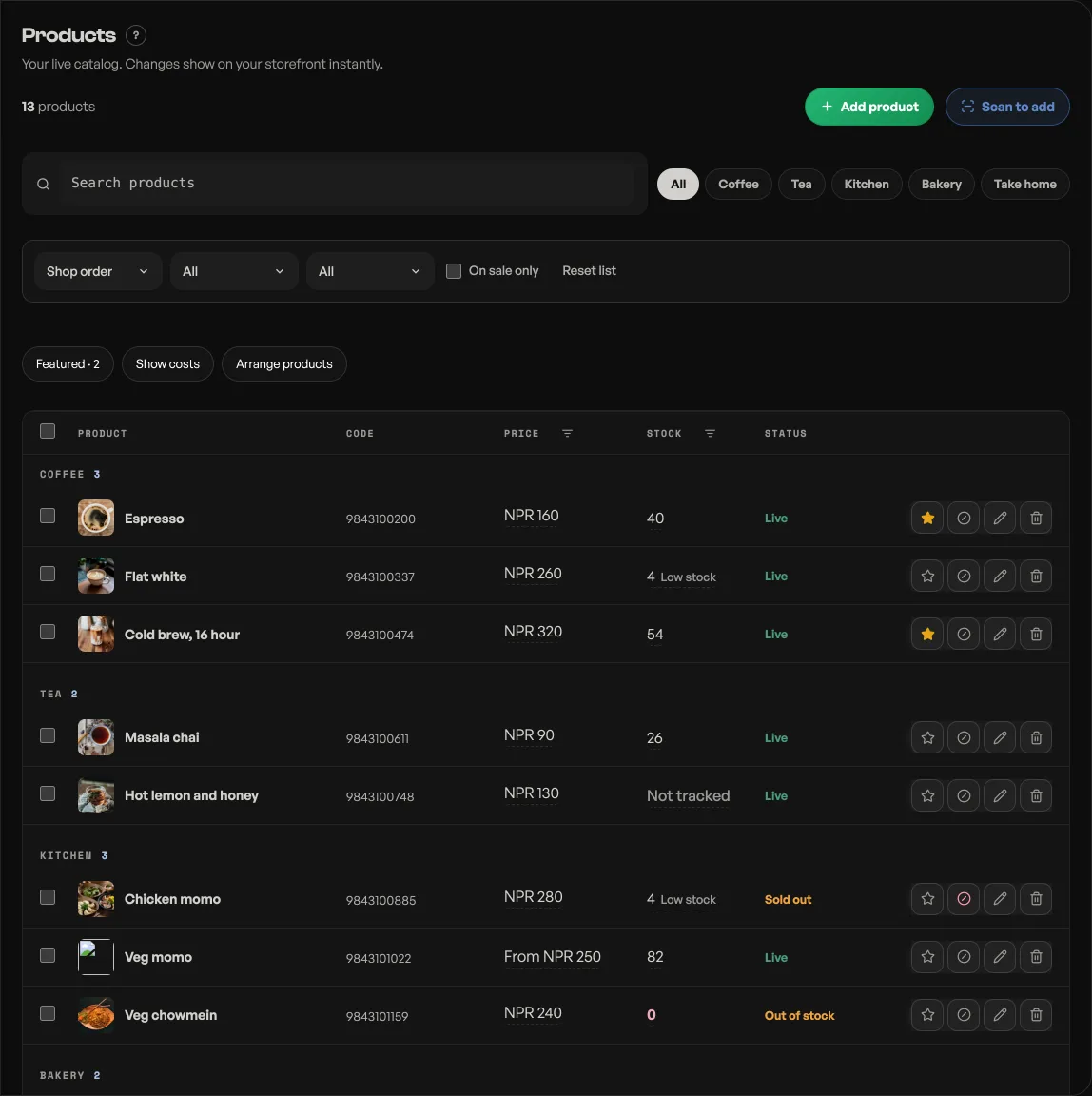
- Open Products.
- Press the ⊘ button in the item's row, beside the pencil. Its Status turns to Sold out.
- To put it back before tomorrow, press either that button again or the Sold out word itself.
On your storefront the item stays visible but goes grey, with a Sold out flag and a "Back tomorrow" note where Add would be. It cannot be added to a bag.
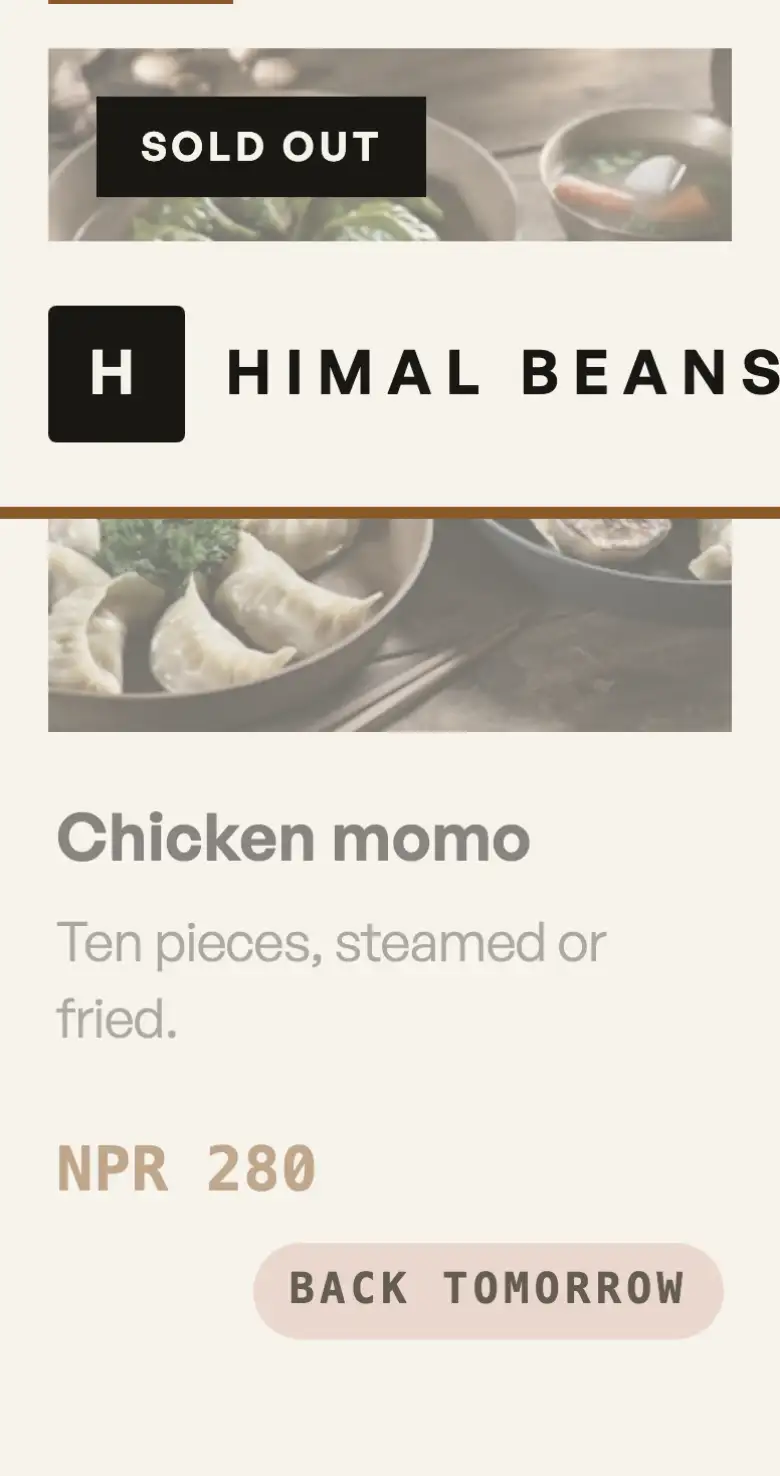
It comes back on its own. Sold out means sold out for today: the item returns to the menu overnight, so you do not have to remember to switch it back before you open. Tap it again any time to bring it back sooner.
This is different from Hidden. Sold out keeps the item on the menu, greyed. Hidden takes it off the storefront entirely, which is what you want for something you are not selling this season.
On by default for food shops; any shop can switch it on under Shop profile, "What this shop does".
- Manage your catalogAdd products, photos, prices, and take items off the shelf when you are out of stock.
- Feature a product on your shopStar the ones you want seen and they get their own shelf at the top of your shop.
- Sell one product in several sizes and coloursOne kurta, three sizes and four colours: one product page, its own price per size, and sold out one size at a time.