
Help · Selling
Sell loose goods by weight
Price rice, dal, sugar or oil per kilo and let customers pick an amount.
A kirana does not sell "one rice". It sells a kilo and a half. Mark a product as sold by weight and the price becomes a rate.
- Edit the product and under How it's sold choose By weight.
- Pick the unit: kilogram, pound, gram, litre or millilitre. The price field becomes "price per kg", or per pound, or whichever you picked.
- Enter the rate, for example 140 per kg.
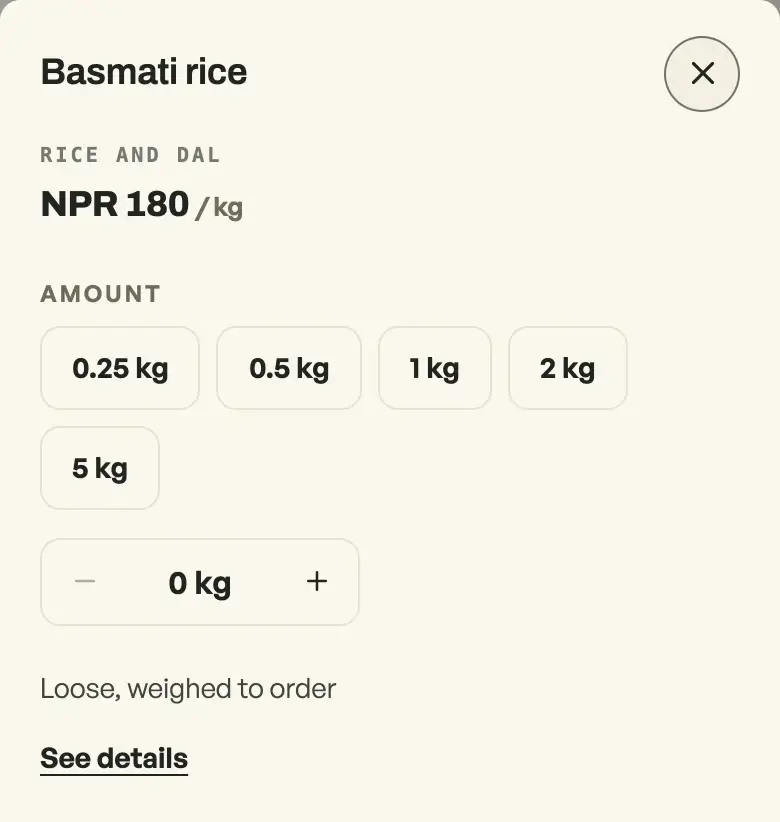
Your storefront then quotes the rate ("NPR 140 / kg"). Add on the shelf opens the amount chips in a sheet, see When Add asks the shopper to choose. The product page still asks for an amount if they open it: quick amounts to tap, and a stepper for anything in between. The shopper sees a running subtotal, and the bag shows "2.25 kg" with the right total.
At the counter
On the counter, a by-weight item asks for the scale reading. Weigh the bag, type what the scale says (1.35), and the line prices itself. The receipt reads "1.35 kg" rather than a count, and so does the order on your board.
On by default for grocery shops and bakeries; any shop selling loose can turn it on under Shop profile, "What this shop does". Items sold by the piece are unaffected.
- When Add asks the shopper to chooseAdd opens a sheet on every product: the photo, the price, and any size, colour or weight to choose. Nothing is bagged until they press Add to bag.
- Manage your catalogAdd products, photos, prices, and take items off the shelf when you are out of stock.
- Feature a product on your shopStar the ones you want seen and they get their own shelf at the top of your shop.