
Help · Money
The PDF receipt your customer keeps
Every order now emails a proper receipt the customer can print, file, or hand to their accountant.
Somebody who buys from you and leaves an email address now gets two things: the order email itself, and a PDF attached to it. Until this shipped, only tickets carried an attachment, so a customer who bought a shirt had nothing to file, nothing to print and nothing to give to whoever does their books.
Nothing to switch on. It goes out on its own.
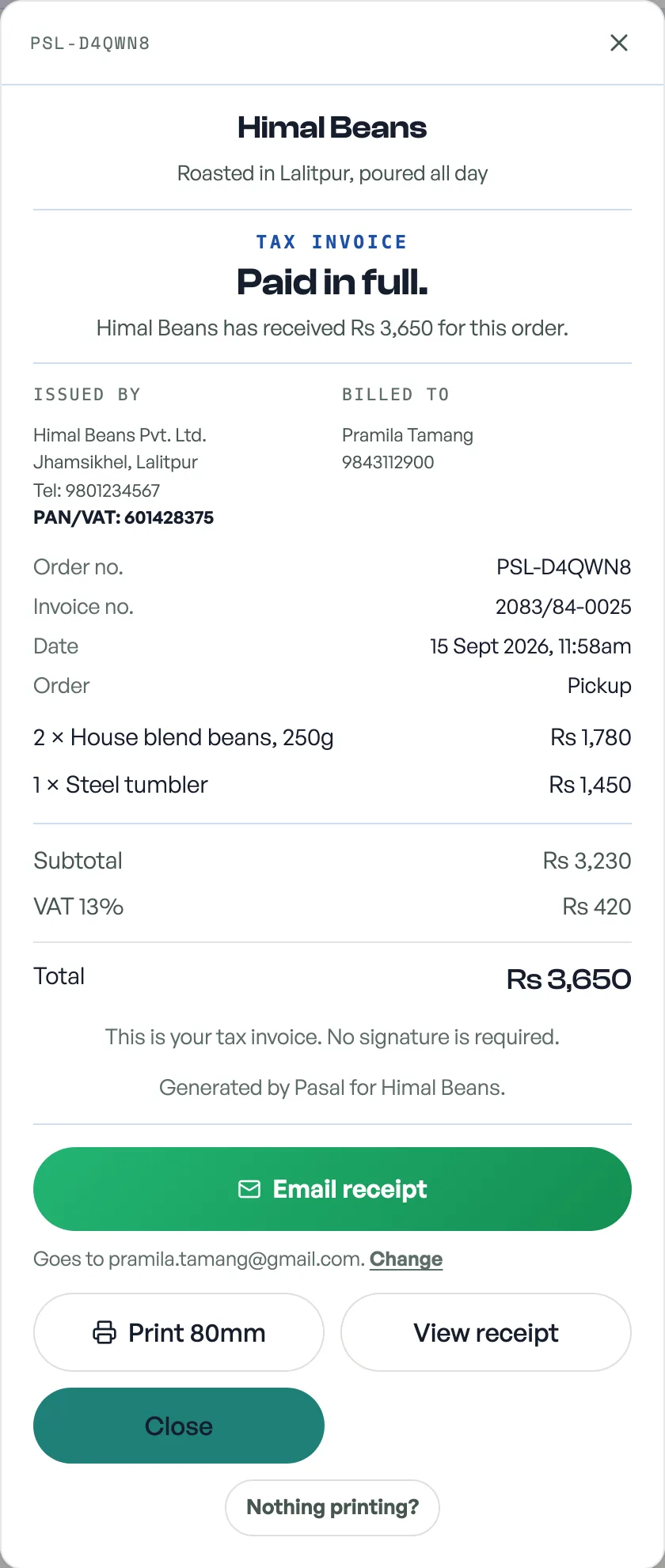
What is on it
- Your shop name, address, phone and PAN, and the customer's name and phone.
- The order number, the date, and how the order was served: pickup, delivery, dine-in or tickets.
- Every line with a quantity column of its own, and the colour and size under the thing they belong to.
- The full breakdown: discount, service charge, VAT, delivery, then the total and how it was paid.
A long order runs to more than one sheet, and the totals never get split off the end of a page: the breakdown, the total and the payment line move together, and each sheet is numbered.
What it calls itself
The same three names the printed bill uses, decided by what has happened to the money: Tax invoice when you are paid, have a PAN, and the sale has its number, Payment receipt when you are paid without one of those, and Order summary, headed Not paid yet, when nothing has been paid. See Tax invoice numbers.
Sending it again
Open the order from Orders (the row's three-dot menu, then Invoice), from Sales under More, or from a customer's history, and press Email receipt. It goes to the address on the order; press Change to send it somewhere else, which does not alter the address the customer typed at checkout. The PDF goes with it.
The document is dated in the ordinary AD calendar, not Bikram Sambat, because the buyer may be anywhere and AD is what their bank and their courier both use. Your own screens read BS, see Dates on your dashboard.
No email on the order? Then nothing was sent, and there is nothing to resend until you type an address. Ticket orders get their own attachment as well, see Send a guest their ticket again.
- Tax invoice numbersFill in your PAN and every paid order gets a numbered tax invoice, counting up from 1 each Shrawan.
- Send a guest their ticket againA guest says the email never arrived. Send it again from the order or from the event's guest list, with the same codes.
- Dates on your dashboard, in Bikram SambatYour own screens read BS, from Shrawan to Ashad. What your customer gets stays in AD, on purpose.