
Help · Running the shop
Deleting things, and what each one destroys
Products, events, ticket types, promo codes and staff: what goes, what survives, and the safer option.
Everything in Pasal that destroys something asks first and tells you exactly what goes. Read the list in the question: it is written for that one thing, not a generic warning. None of it can be undone.
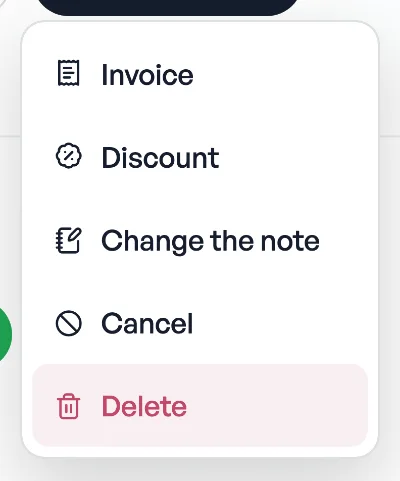
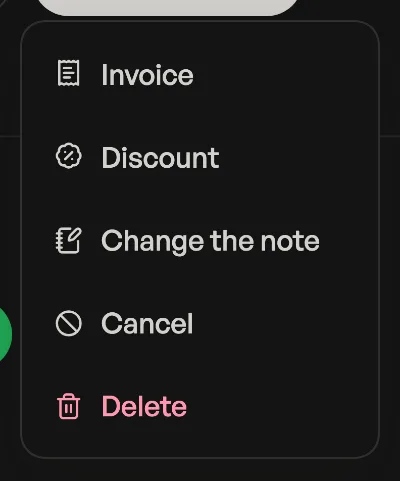
Almost every case has a gentler option, and usually that is the one you actually want.
- A product comes off your shop, but every order that already included it keeps its lines and totals. Only out of stock for today? Press Sold out instead; it greys out and comes back on its own tomorrow.
- An event takes every ticket with it, including ones people have paid for. Those guests are turned away at the door and nobody is emailed; the orders and the money stay in your Sales. The question counts them for you first. To stop selling without destroying anything, set the event to Ended: it comes off the shop and nothing is destroyed. Sold tickets keep their ticket pages, but the door refuses them while it is marked ended. Put it back on sale and they scan again.
- A ticket type is gentler than it looks: seats already sold keep working and still name their tier at the door. But the price lives on the tier, so once it is gone those seats count as zero in your ticket sales figures. To stop selling more, set the tier's limit to what it has already sold.
- A promo code stops working for everyone, though orders that already used it keep their discount. Switching it off pauses it instead, ready to switch back on.
- A staff member loses access next time they open the dashboard. Everything they did stays exactly as it is, and you can add the same email back whenever you like.
- An order is the one to be most careful with, because it changes your books, and one that already carries a tax invoice number cannot be deleted at all. See Deleting the orders you made testing.
Only the owner can delete an order. Staff can run the counter all day and never remove a sale from the takings.
Read next
- Deleting the orders you made testingClear the practice orders out of your takings without touching a real sale.
- Tax invoice numbersFill in your PAN and every paid order gets a numbered tax invoice, counting up from 1 each Shrawan.
- Know your customers: history and pointsSearch anyone who has ordered, open every past invoice, and see the points they have built.
Still stuck? Message usTell us what is happening and we will reply, usually the same day.
WhatsApp usOr email support@pasal.studio